The AI platform
Everything the platform does.
The Motran AI platform is one secure place where your whole team works with AI. You ask questions, have documents and overviews made and get recurring work prepared automatically, with your own company's data.
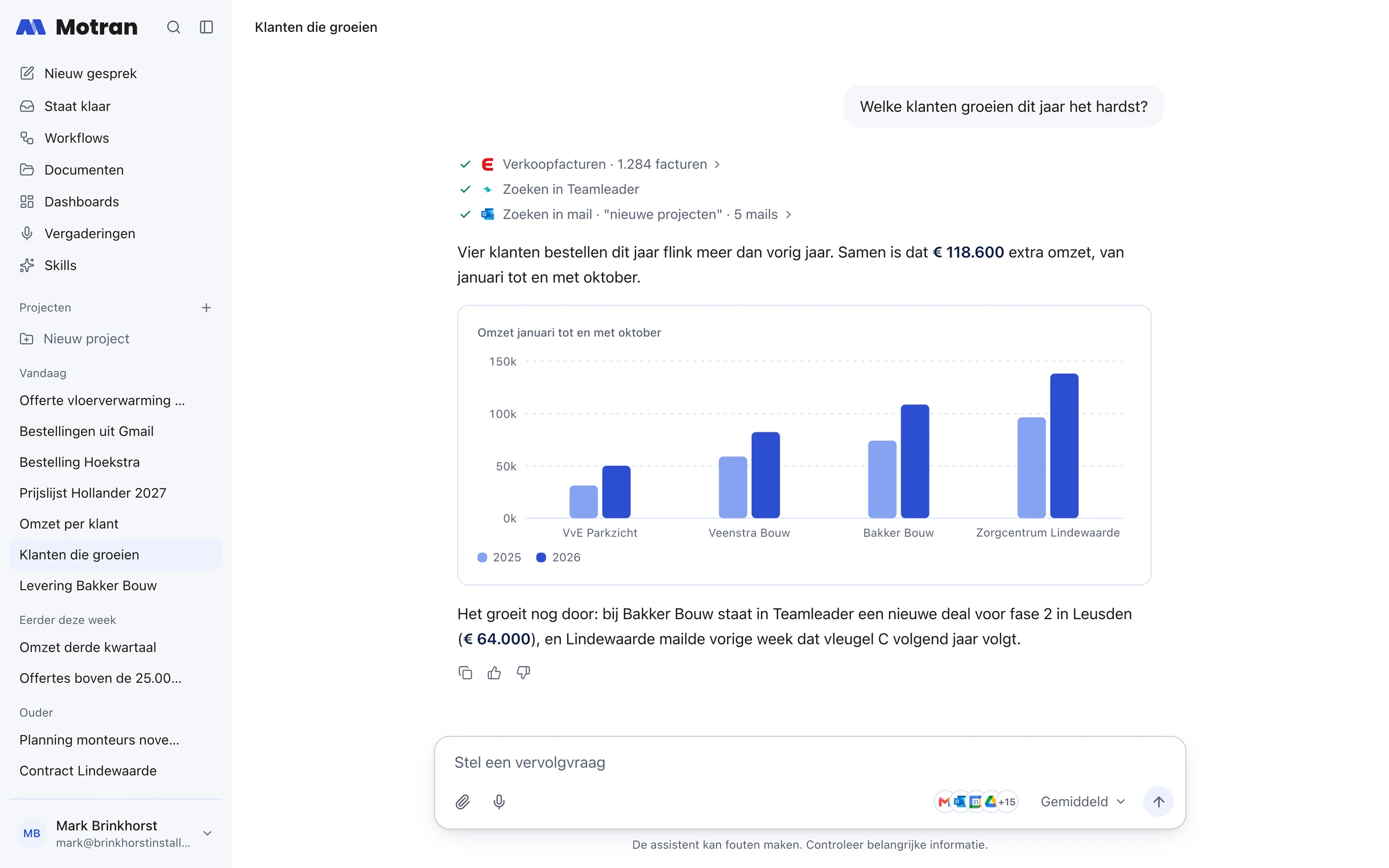
Chat
Ask your question in plain language.
The answer comes from your own accounts, email and documents, with the source included. You can add a file, speak your question or let the platform search the internet.
For example“Which customers are growing fastest this year?”
- Answers with the source included
- Add files, including scans and photos
- Speak instead of type
Agents
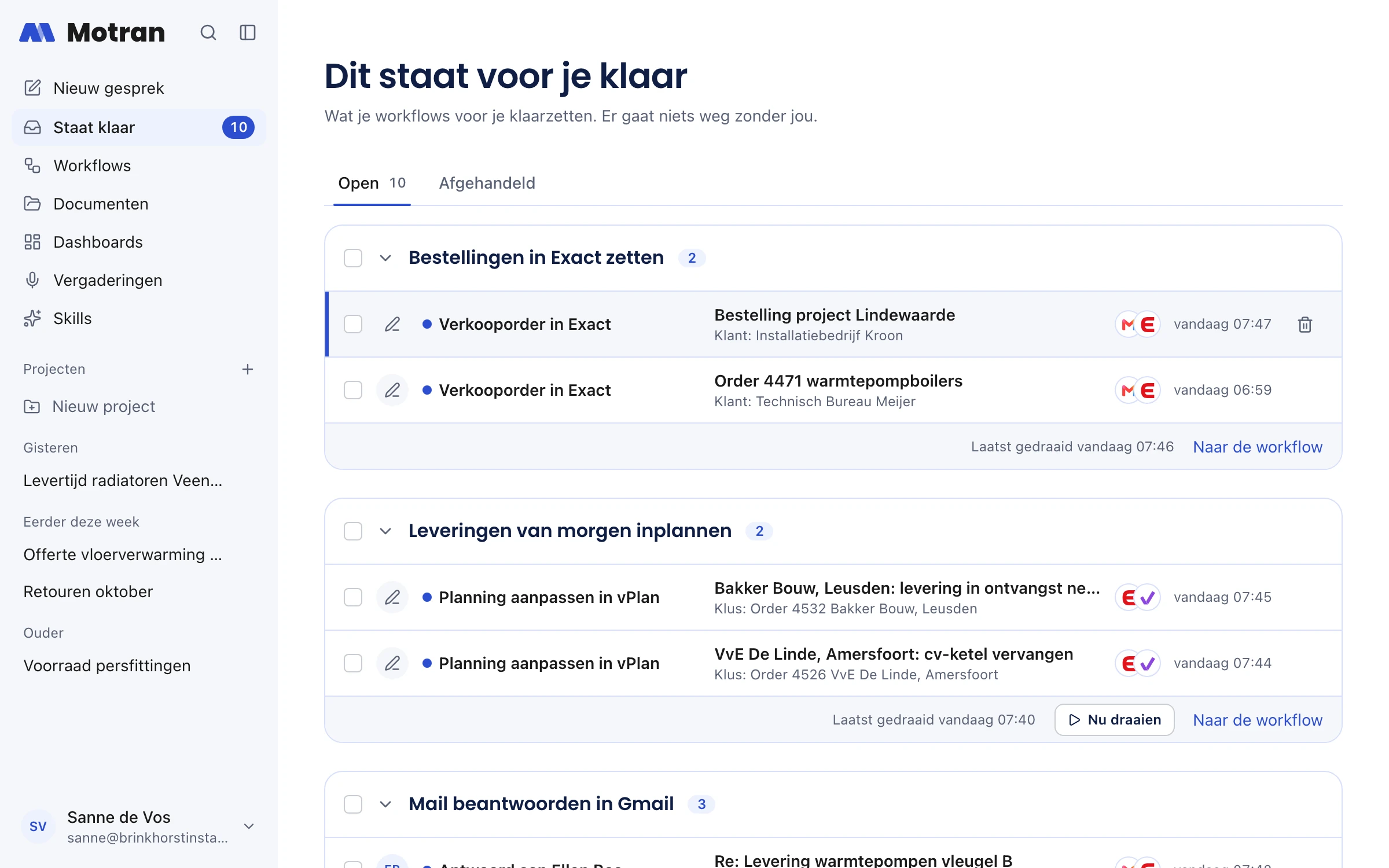
Recurring work is prepared automatically.
An agent does a fixed task for you, at a set time or when new email comes in. The result waits for you to check: a draft reply, a reminder or an entry. An email is never sent without your click.
For example“Every Monday, prepare the invoices that have been open too long.”
- At a set time or when new email comes in
- Ready-made agents to start with
- By default everything waits for your approval
Pages
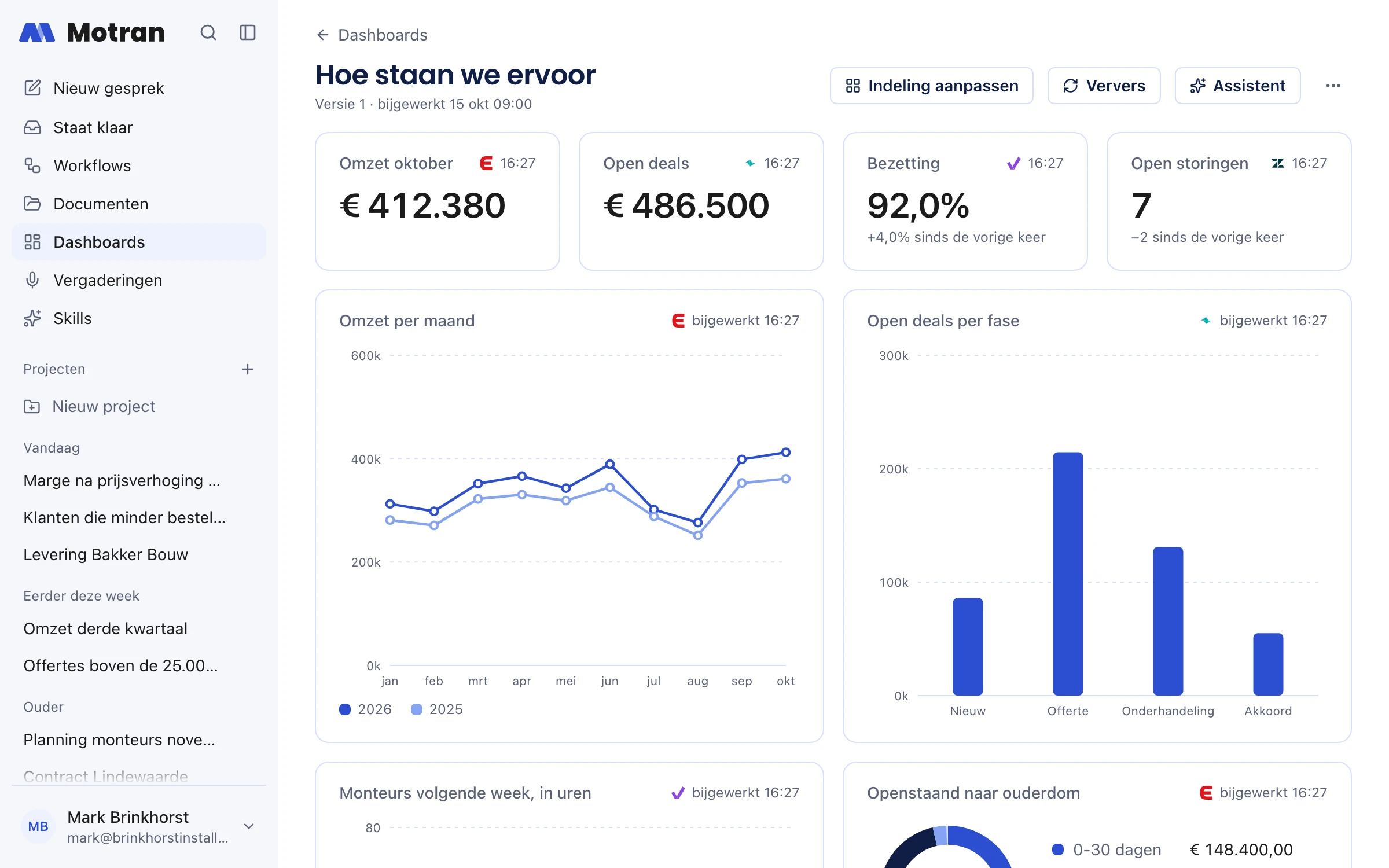
Your own screen with live figures.
You make a page with AI: your own screen with live figures from all your systems, where your team filters and ticks things off. Such as the planning from vPlan next to the revenue from Exact. A page with tiles is also called a dashboard: it refreshes itself, and for every figure you see where it comes from.
For example“Make a dashboard with revenue per month and the outstanding invoices.”
- From all your systems
- Up to date, with the source for every figure
- Your team filters and ticks things off
Skills
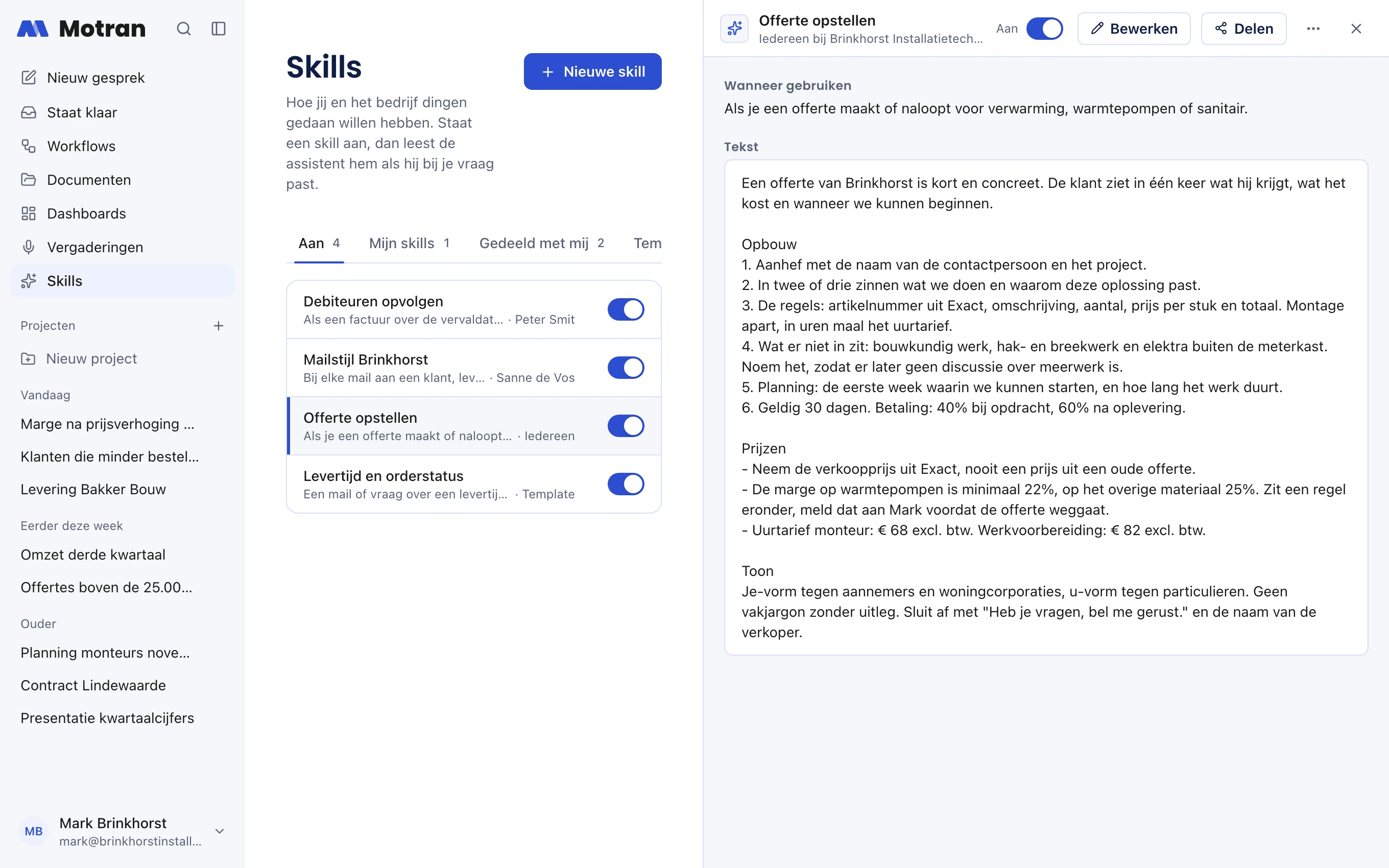
Explain once how you work.
A skill records how you or your company want something done, such as a quote or the tone of an email. The platform uses it automatically when it fits your question, in a conversation and in your agents.
For example“Write a quote for this request, the way we do it.”
- Share with colleagues or the whole company
- Works in conversations and agents
- Make it yourself or together with the platform
Meetings
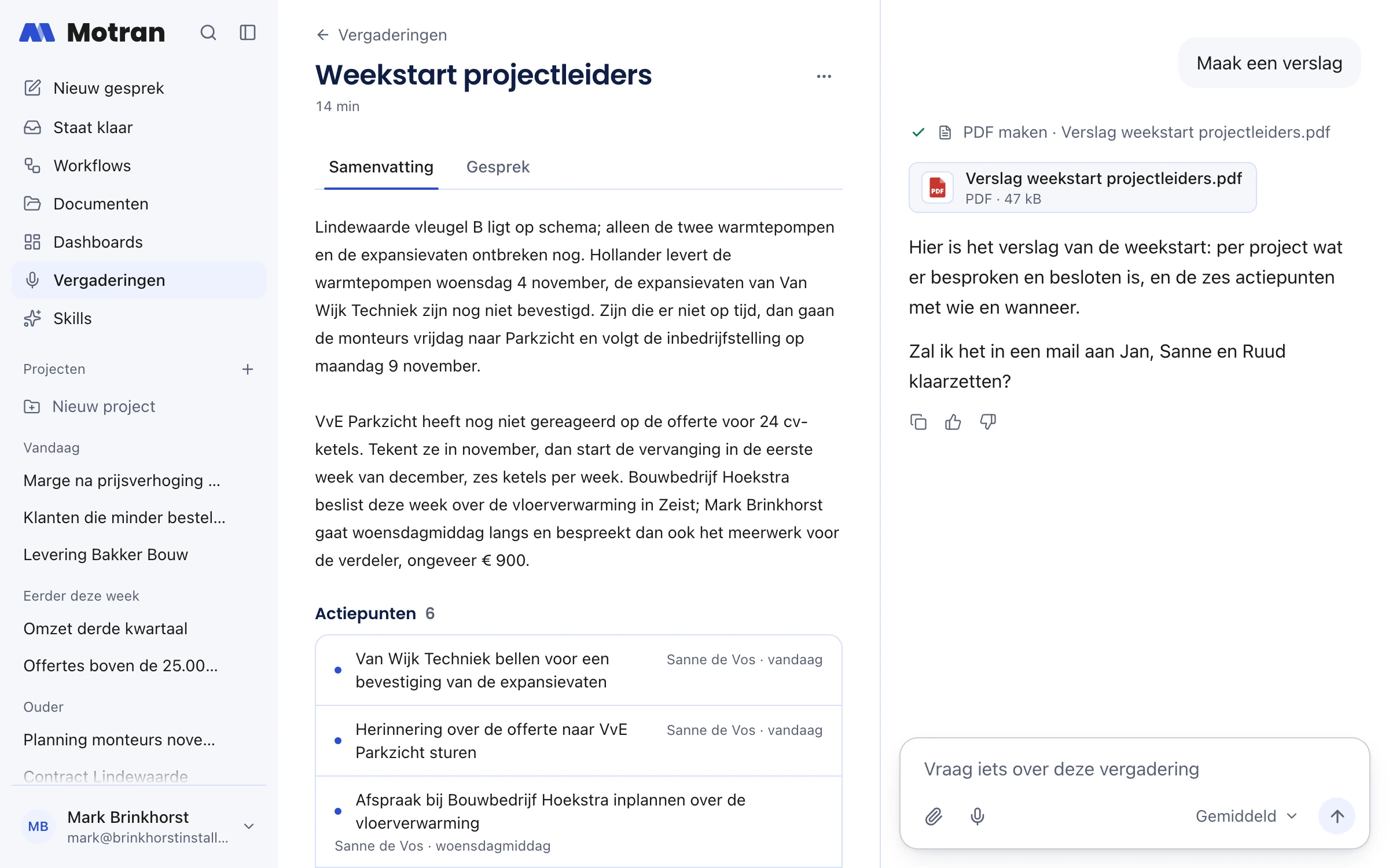
Record your meeting. The minutes are ready.
Press Record and put your laptop or phone on the table. Afterwards the platform transcribes the conversation, with who said what, and prepares a summary and the action points.
For example“What did we agree in Tuesday's meeting?”
- Transcribed, with who said what
- Summary and action points
- Upload a recording too
Documents
An Excel, PDF or presentation in one request.
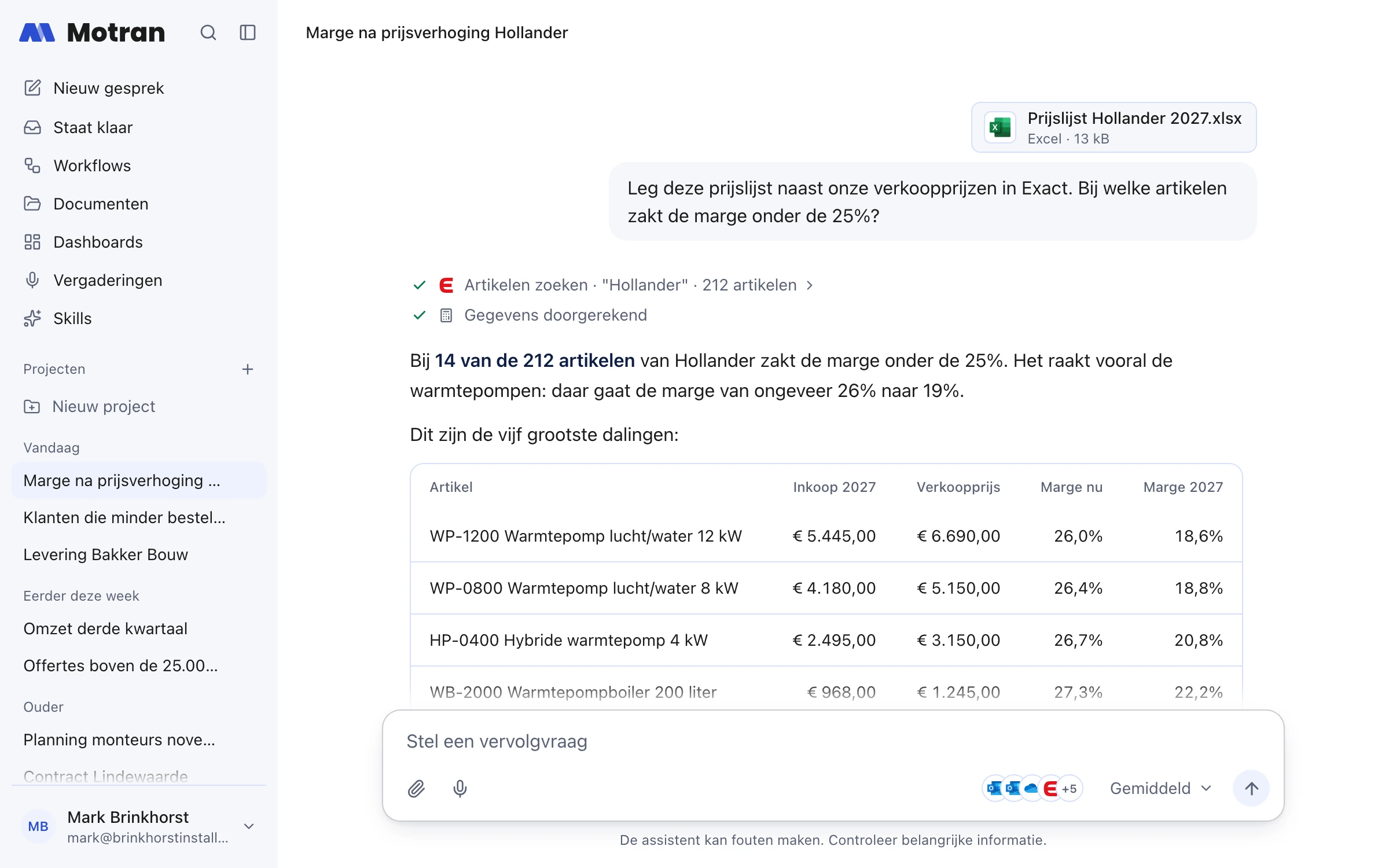
The platform makes files in your company's house style: Excel, PDF, PowerPoint and charts. It also puts sources side by side, such as a supplier's price list next to your prices in Exact.
For example“Compare this price list with our prices in Exact.”
- In your company's house style
- Sources side by side, without retyping
- Share with colleagues
Admin
You decide what the platform may do.
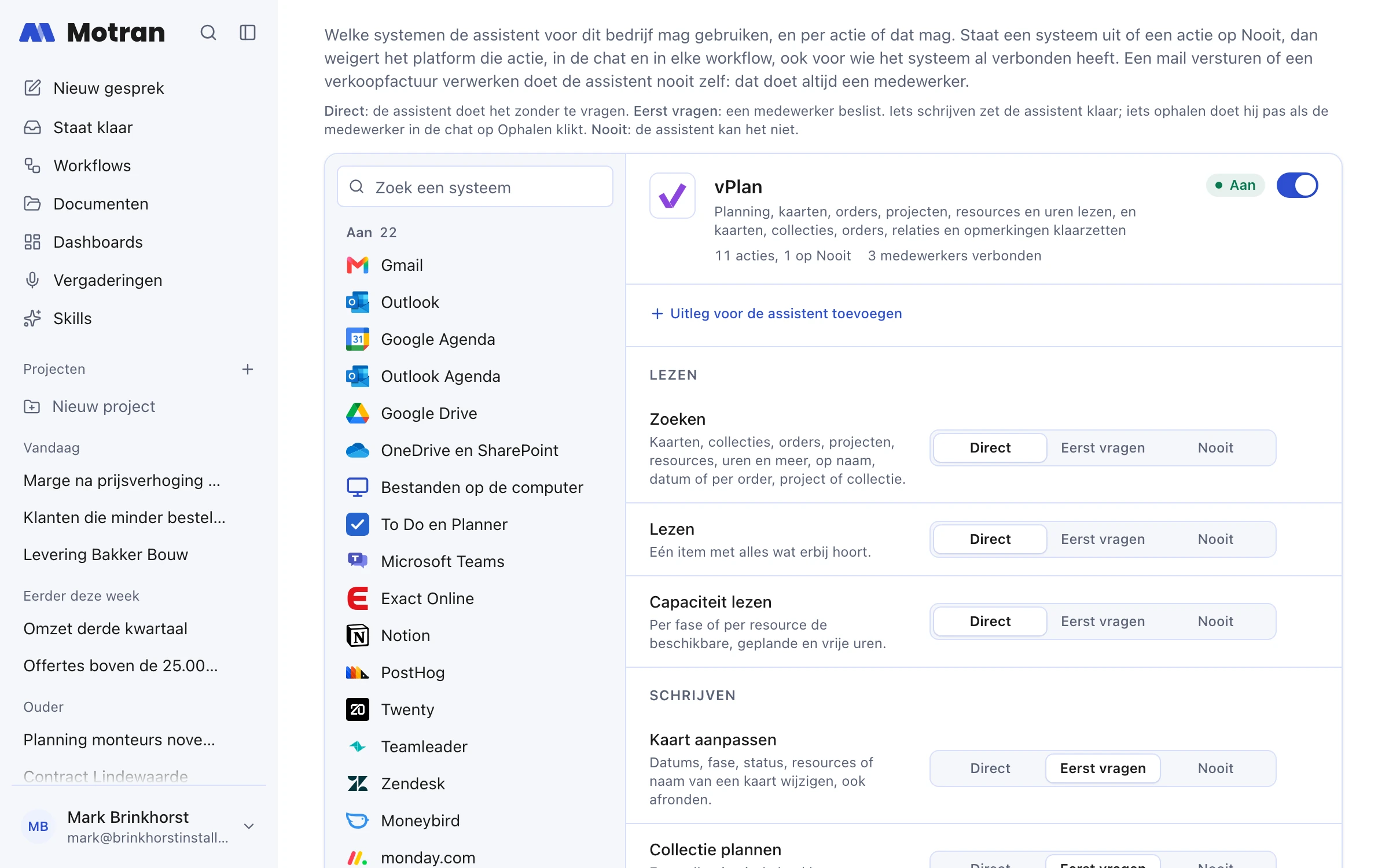
The admin turns on per system what the platform may do, and per action whether it happens directly, asks for approval first or never. The audit log shows every action the platform took in a connected system, and Usage shows how much is left.
- Roles for admin and employee
- Per action: direct, ask first or never
- Audit log and usage
Connected, secure and for everyone.
-
Works with your own tools
Exact, Moneybird, Nmbrs, Outlook, Gmail, Teamleader Focus and more, with your own login.
-
Your click first
The platform reads along and prepares work. Nothing happens until you approve it, unless your admin chooses that something may happen directly.
-
For your whole team
Everyone logs in with their own account and only sees what their own permissions allow.
Integrations
- Accounting and administration
- Exact Online, Exact Multivers, SnelStart and Moneybird
- HR and payroll
- Nmbrs and HelloFlex
- Email, calendar and meetings
- Outlook, Gmail, Outlook Calendar, Google Calendar and Microsoft Teams
- Files and documents
- OneDrive & SharePoint, Google Drive and Notion
- Customers and sales
- Teamleader Focus, Twenty and Zendesk
- Planning and projects
- vPlan, Simplicate, monday.com, Trello and To Do & Planner
- Figures, website and IT
- PostHog and Cloudflare
- Set up together with Motran
- Exact Online, Exact Multivers, SnelStart, Nmbrs and Zendesk
- Other systems
- Connected on request
Security
- Hosting
- Microsoft Azure in the EU
- AI models
- In the EU, no training on your data
- Login
- Single sign-on (SSO) with Microsoft or Google. No separate passwords; MFA according to your own policy
- Integrations
- OAuth 2.0 with each user's own login, read only by default
- Permissions
- Roles for admin and employee (RBAC); per action direct, ask first or never
- Encryption
- Encrypted in transit and at rest
- Data from your systems
- Fetched live through the API; no copy of your mailbox or accounts
- Audit log
- Every action the platform takes in a connected system
- Agreements
- GDPR and a data processing agreement
Try it free for 14 days.
Book a demo. We show the platform with your own work and then set up your trial.
- No installation, right in your browser
- Your data stays in the EU
- Connected to the tools you already use
Questions? Feel free to email or call us. hello@motran.ai · +31 85 130 5461